[NOTICE] PENUP UPDATE VER 3.9.22
Hello, PENPLEs!
The PENUP Android app has been updated to version 3.9.22.
This update brings new features and brushes.
Today, we’ll introduce what’s new in PENUP version 3.9.22!
First, ‘Landscape mode’ is now supported.
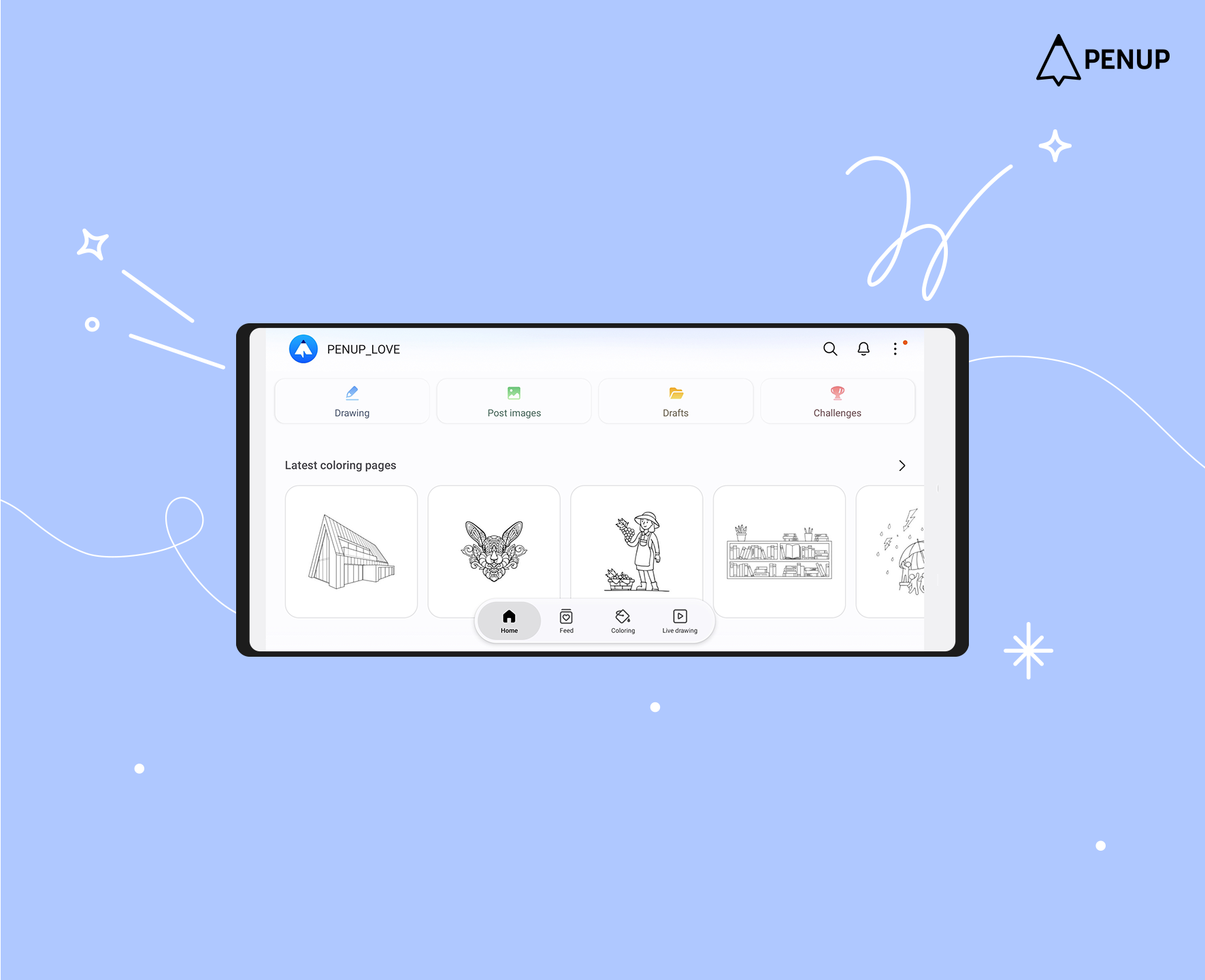
From version 3.9.22, ‘Landscape mode’ is supported on smartphones as well.
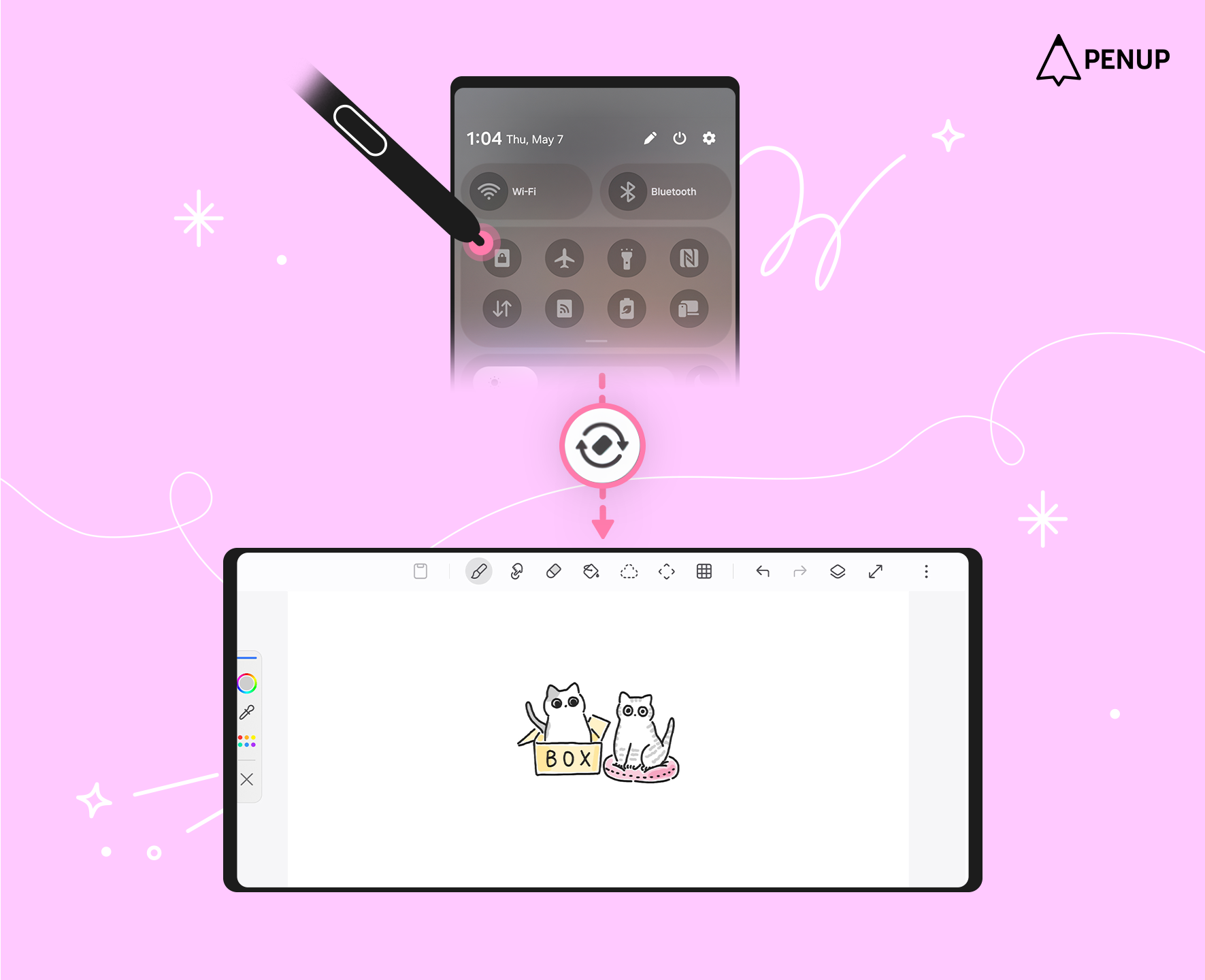
This feature works only when ‘Auto rotate’ is turned on your smartphone.
After enabling ‘Auto rotate’, you can use landscape mode by turning your device horizontally.
If your screen setting is locked to portrait mode, the app will only be displayed vertically, so please check your device’s ‘Auto rotate’ setting when using landscape mode.
Second, exporting artworks from the Drafts is now supported.
With this update, the ‘Export drafts’ feature has been added to the ‘Drafts’.
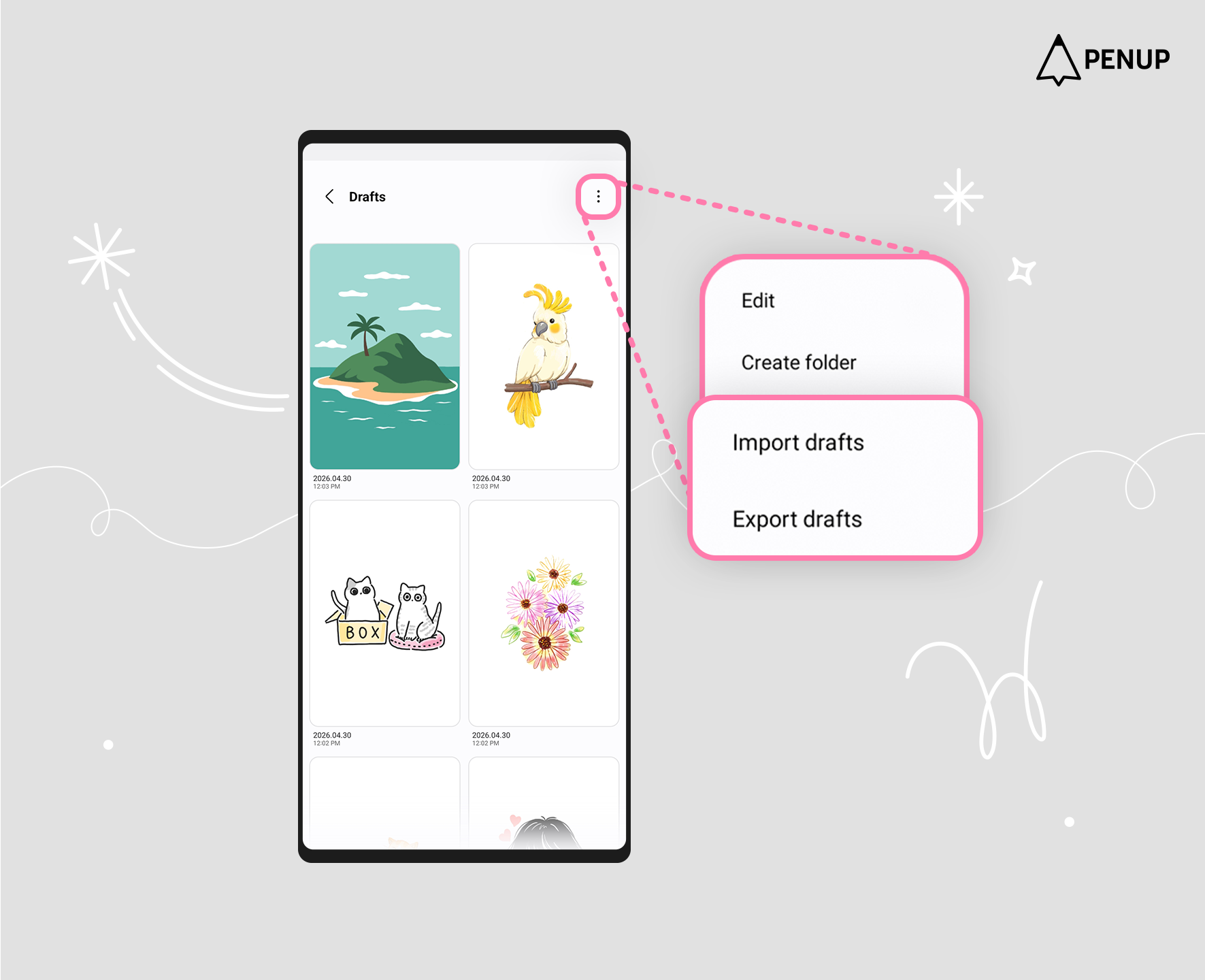
This feature can be accessed through ‘More options’ at the top right of the Drafts screen.
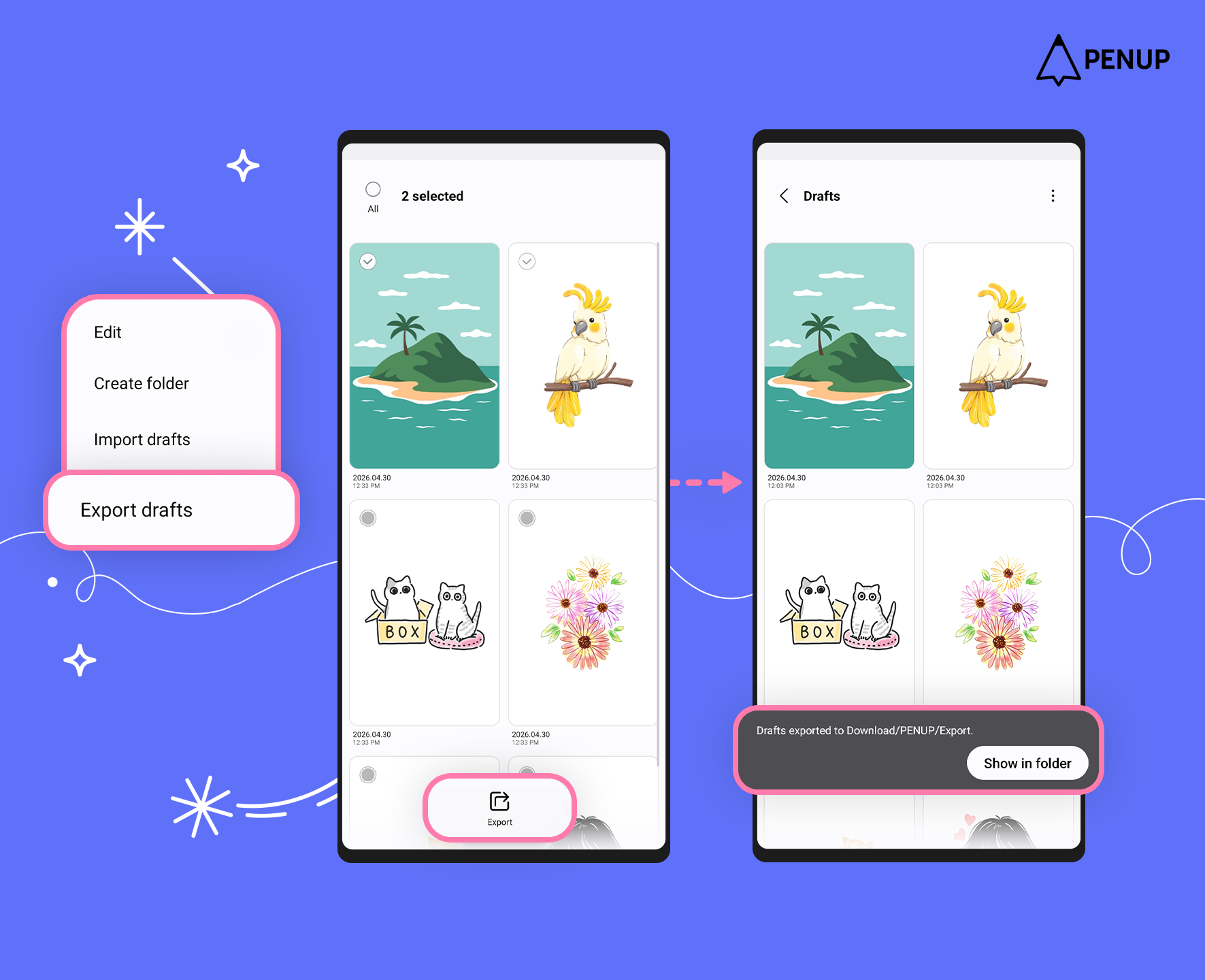
‘Export drafts’ is a feature that saves artworks from ‘Drafts’ as files.
Tap ‘Export drafts’, select your artwork, and then tap ‘Export’ at at the bottom to save the selected artwork as a file in a folder.
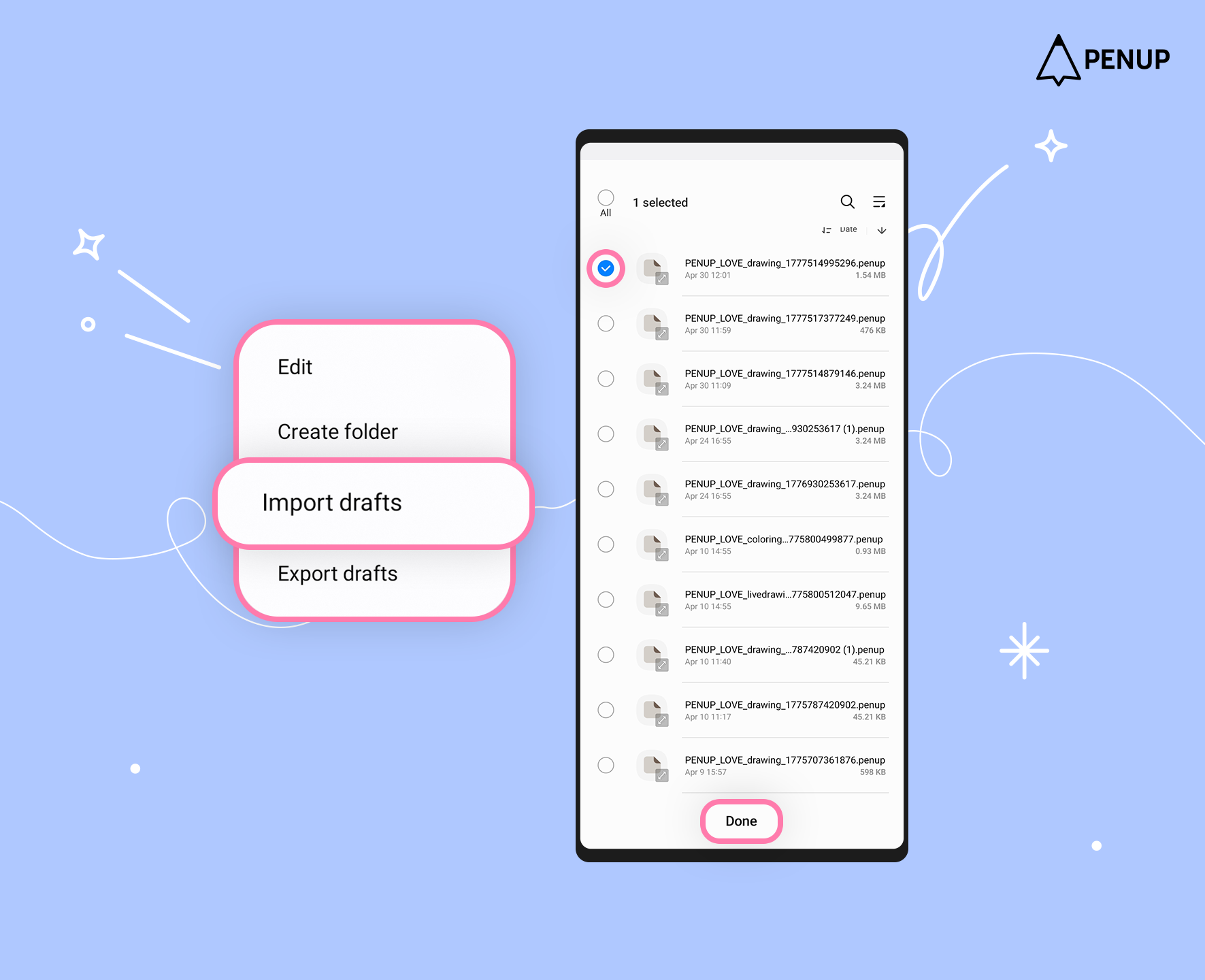
With ‘Import drafts’, you can bring artworks saved through export back into ‘Drafts’.
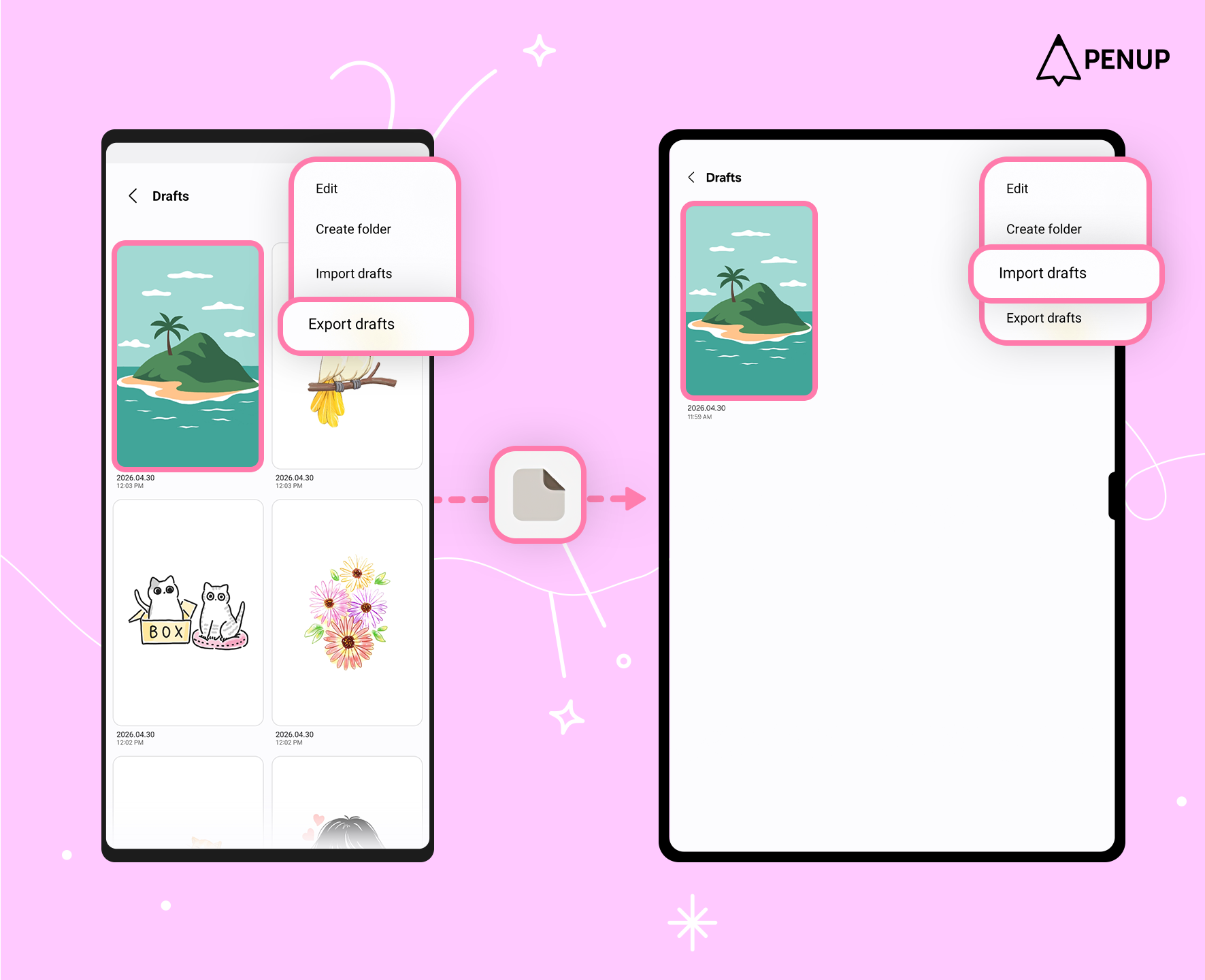
By using ‘Export drafts’ and ‘Import drafts’, you can transfer your saved artworks to other devices in their original format.
Transferred artwork files are saved with the ‘.penup’ extension.
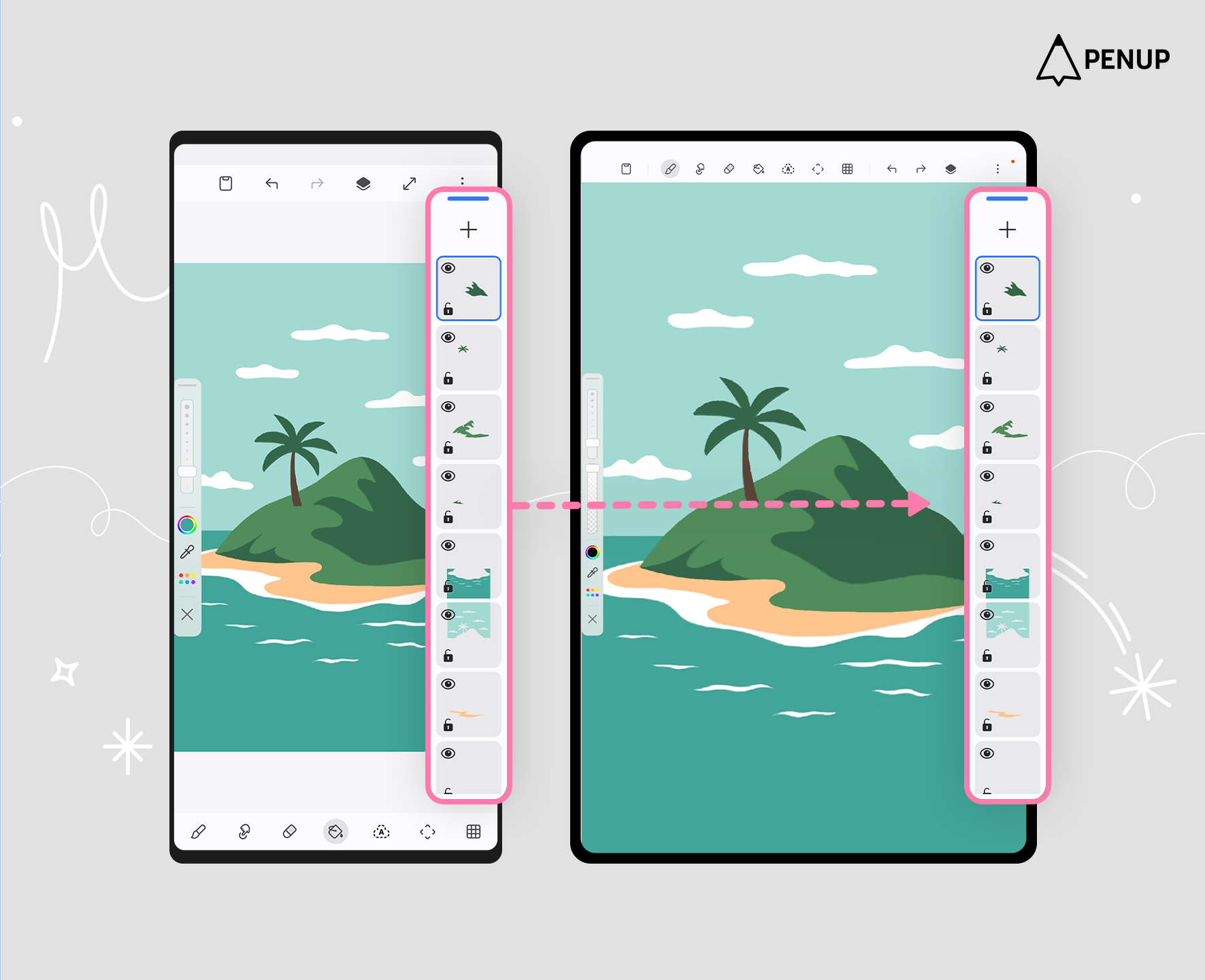
Files exported from the ‘Drafts’ will retain layers created on previous devices.
Saved Coloring and Live Drawing artworks can also be exported and imported.
Use the Drafts features to safely store your artworks and conveniently move them to another device for drawing anytime.
Third, new brushes have been added.
With this update, 53 new brushes are now available.
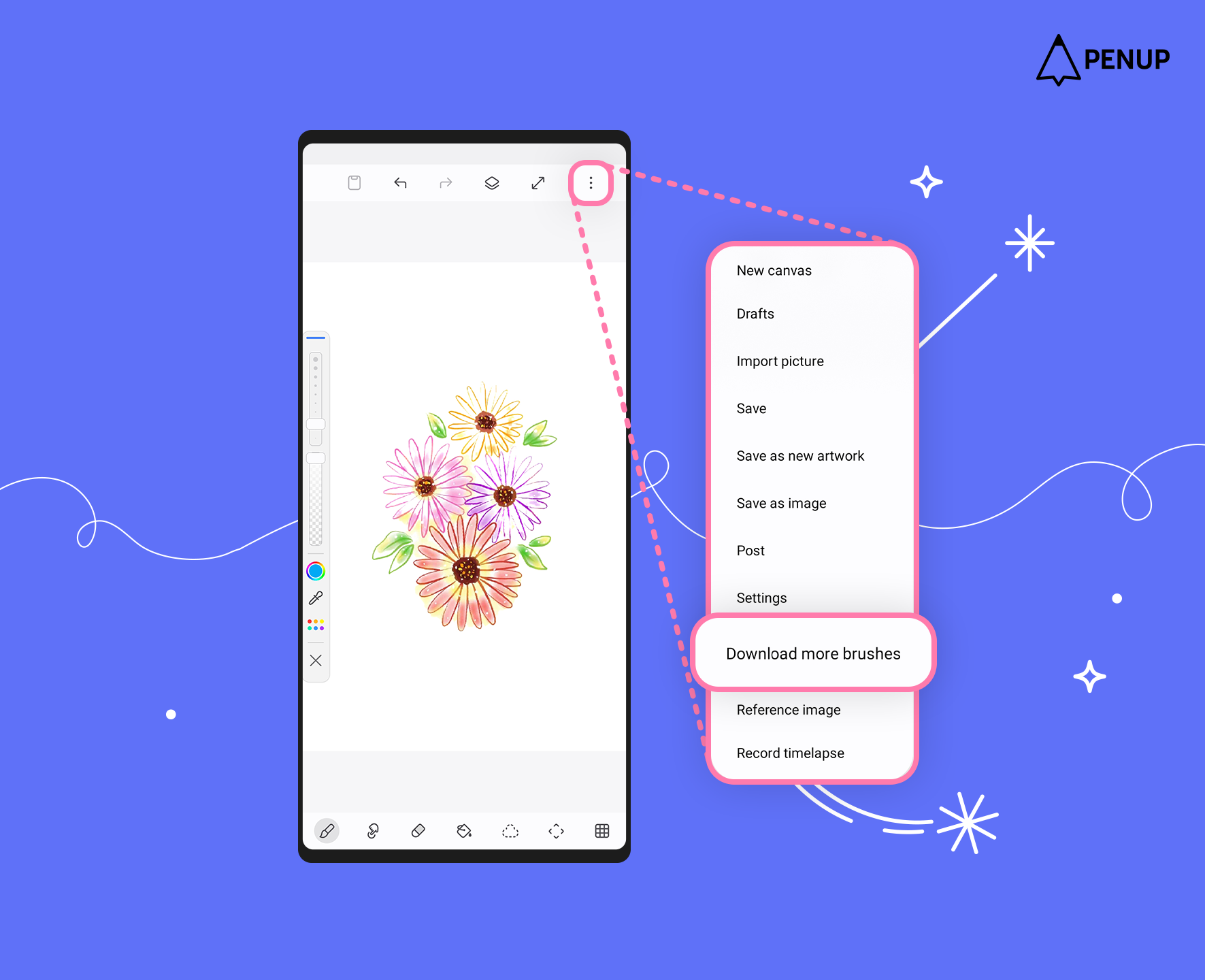
You can find them under ‘Download more brushes’ in ‘More options’ at the top of the drawing tools.
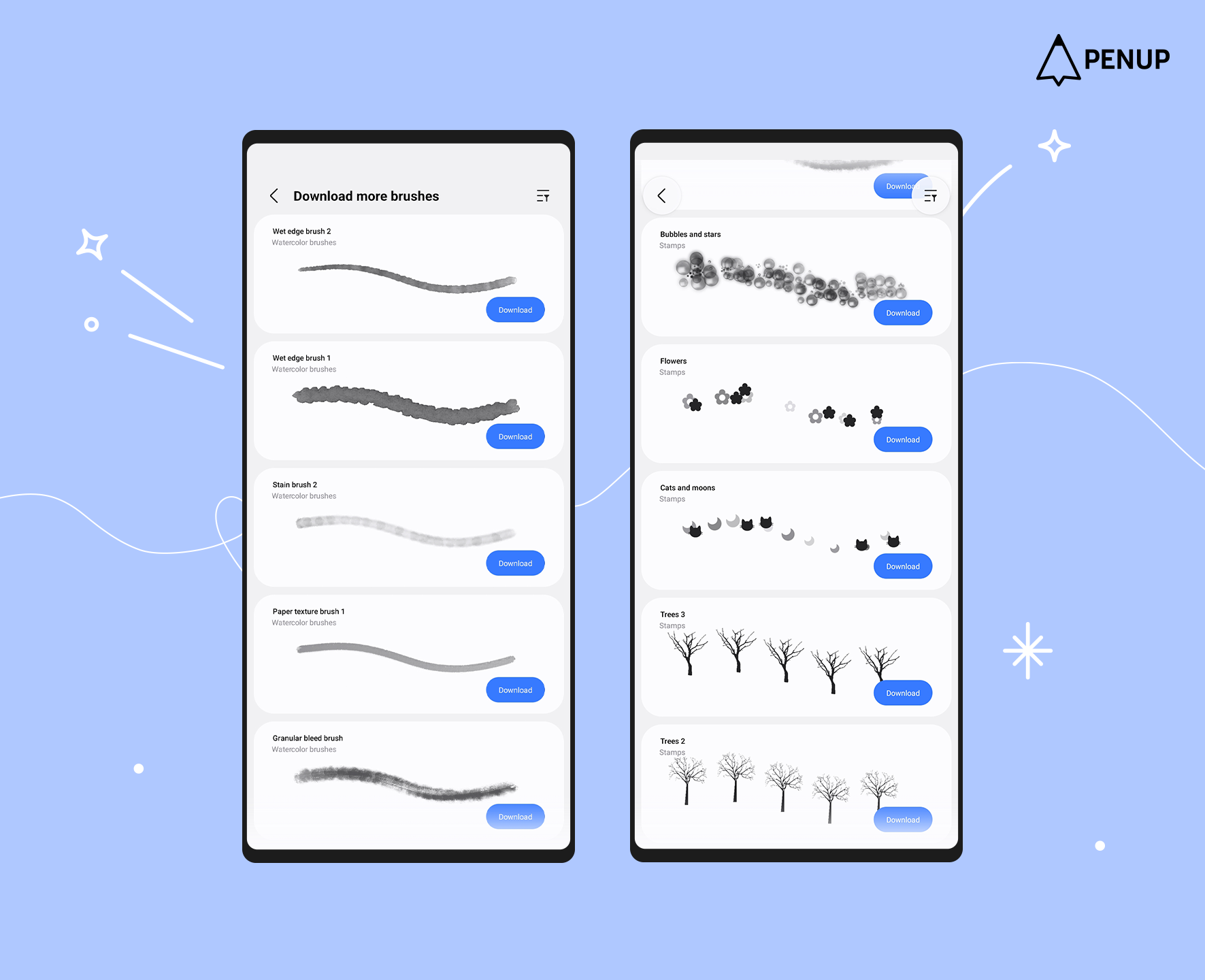
The newly added brushes will be announced through a separate notice.
Fourth, the Brush settings screen has been improved.
With the addition of new brushes, the ‘Brush settings’ screen, where you can adjust various brush properties, has been redesigned for easier viewing and use.
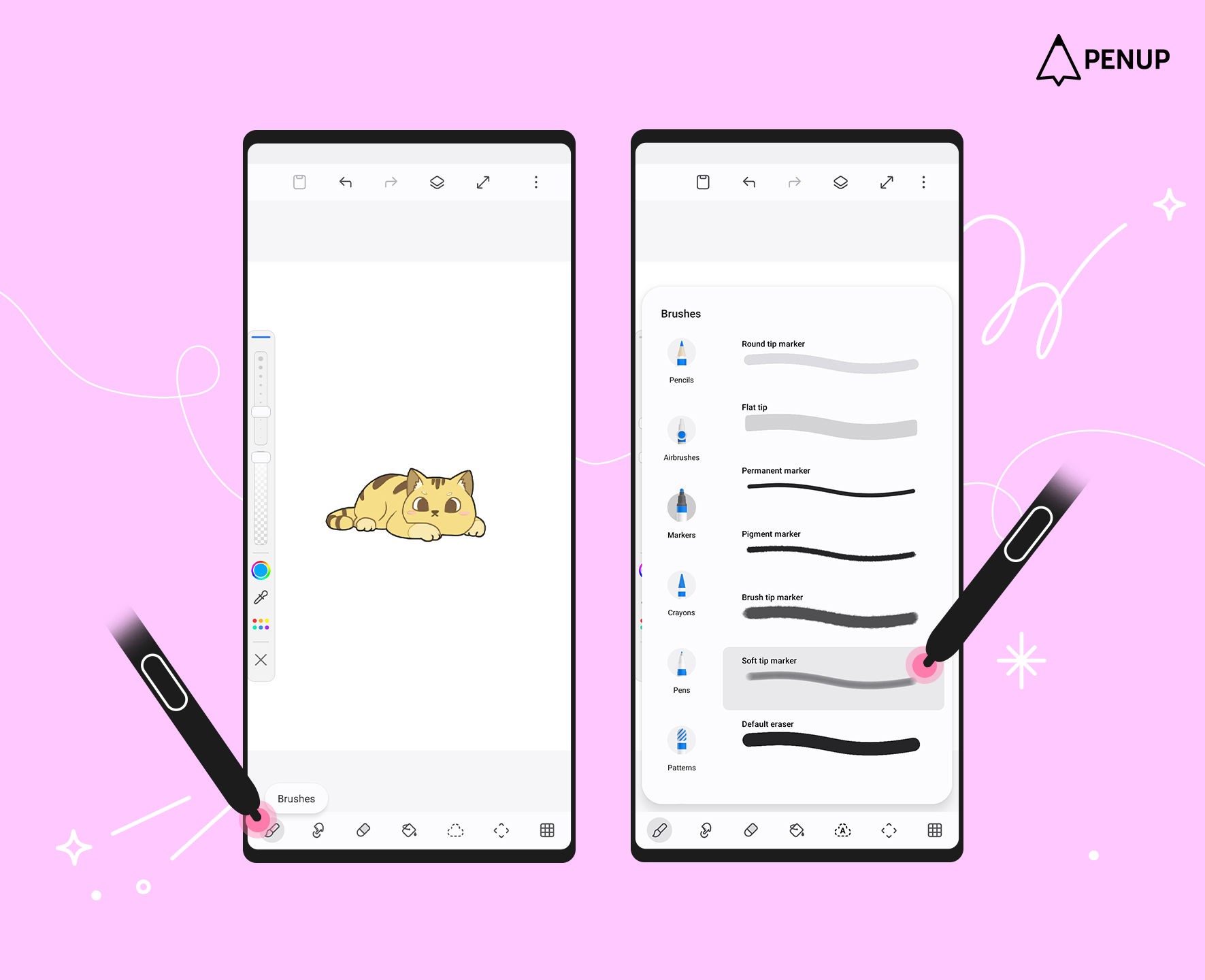
You can access this feature by tapping a brush once more from the brush menu at the bottom of the drawing tools and entering ‘Brush settings’.
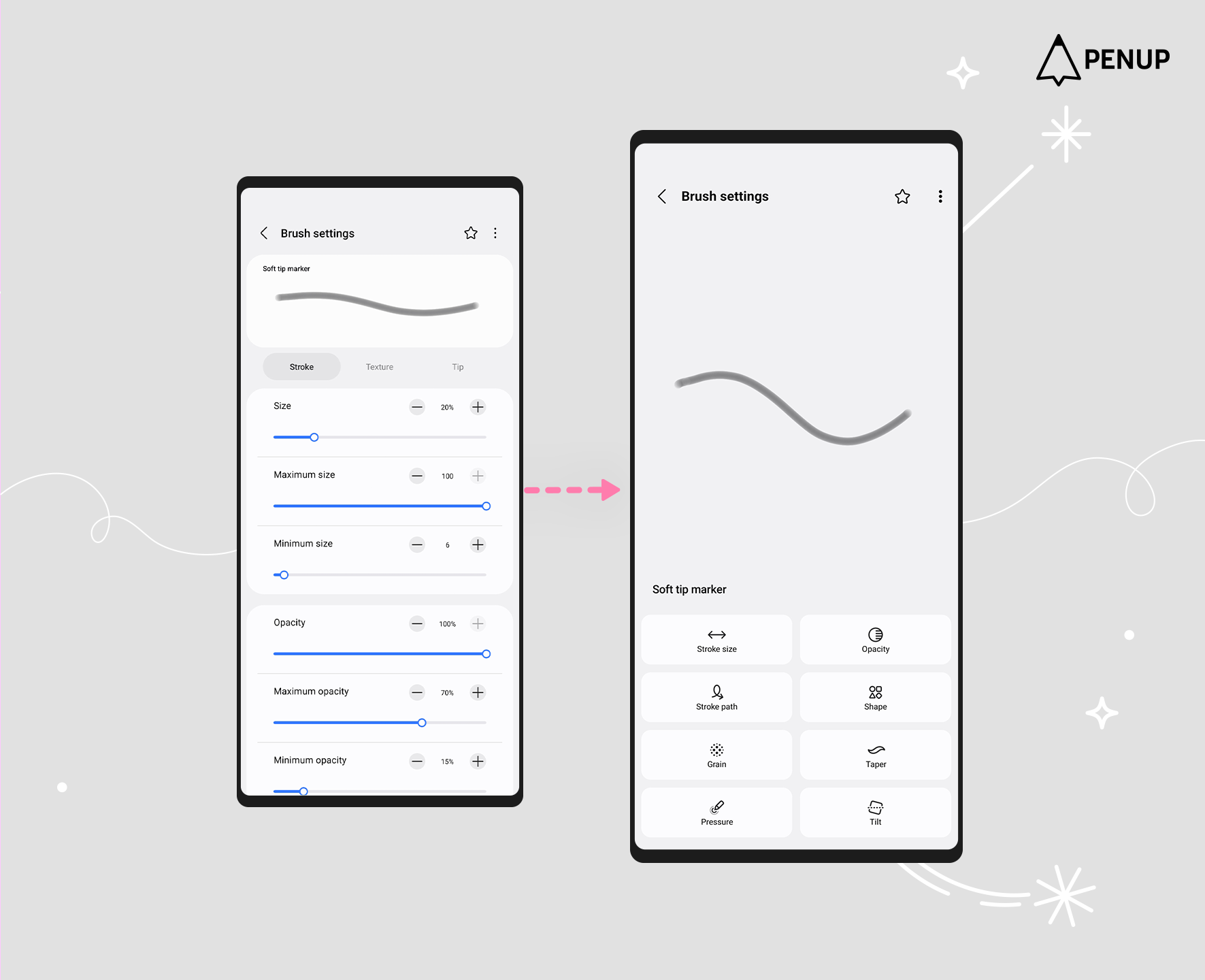
Previously grouped options have now been separated, and the preview window for checking brush changes has also been enlarged.
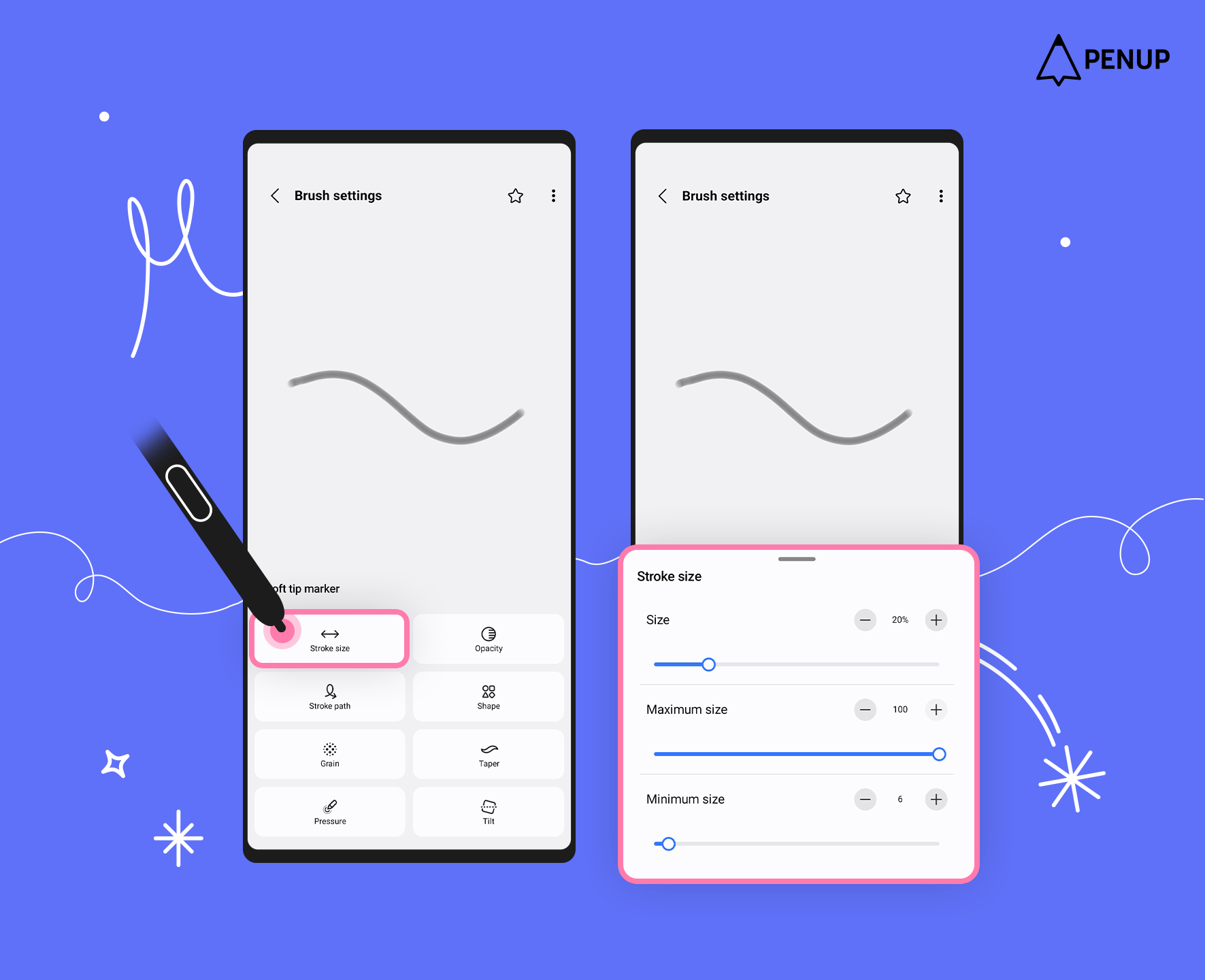
As before, you can select each option to adjust the brush settings.
Try adjusting each brush option however you like and enjoy drawing your own way!
Fifth, ‘Dual brush’ is now supported.
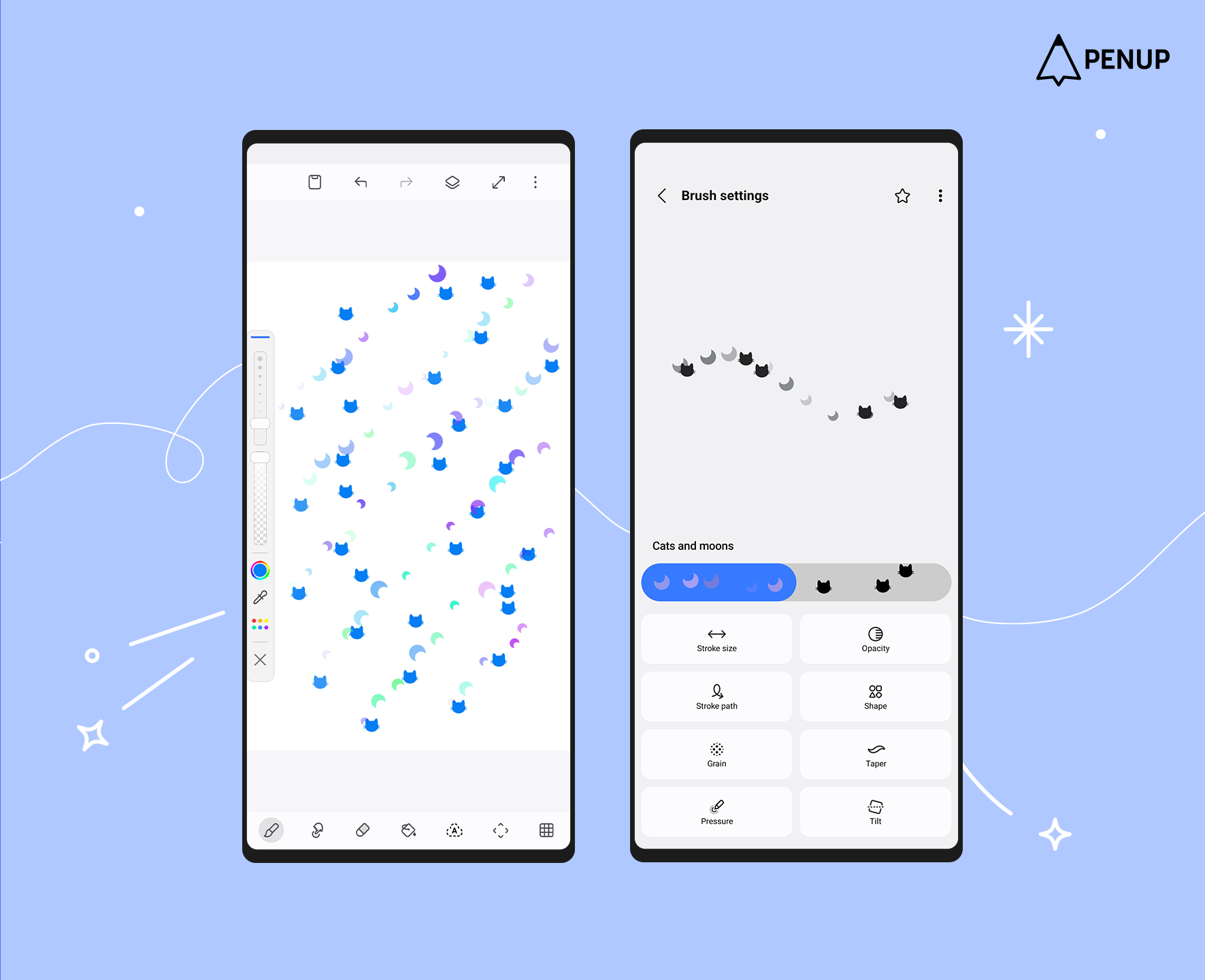
With this update, a ‘Dual brush’ feature has been added, allowing two brushes to be combined into a single effect.
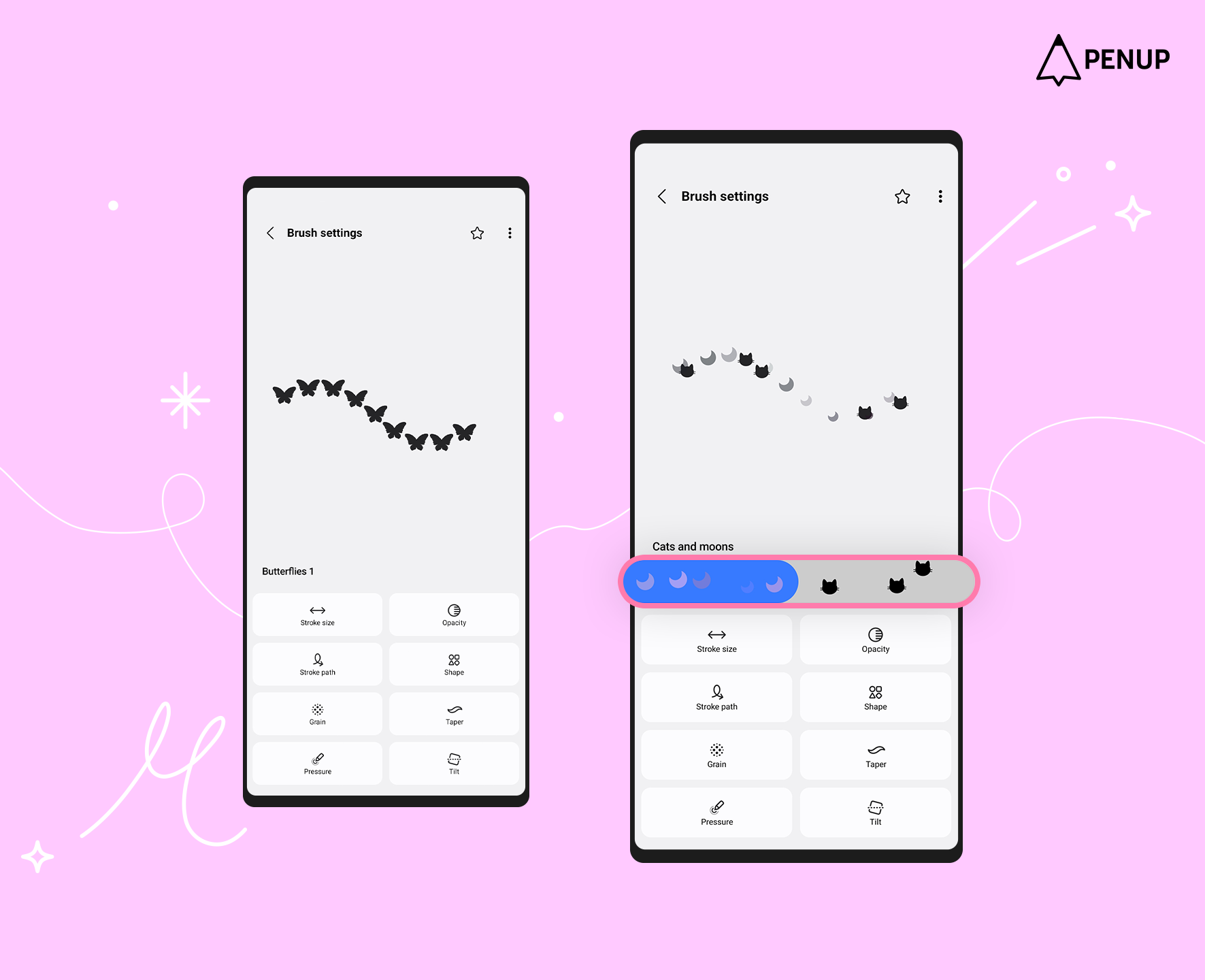
‘Dual brush’ can be found in the settings of each downloaded brush.
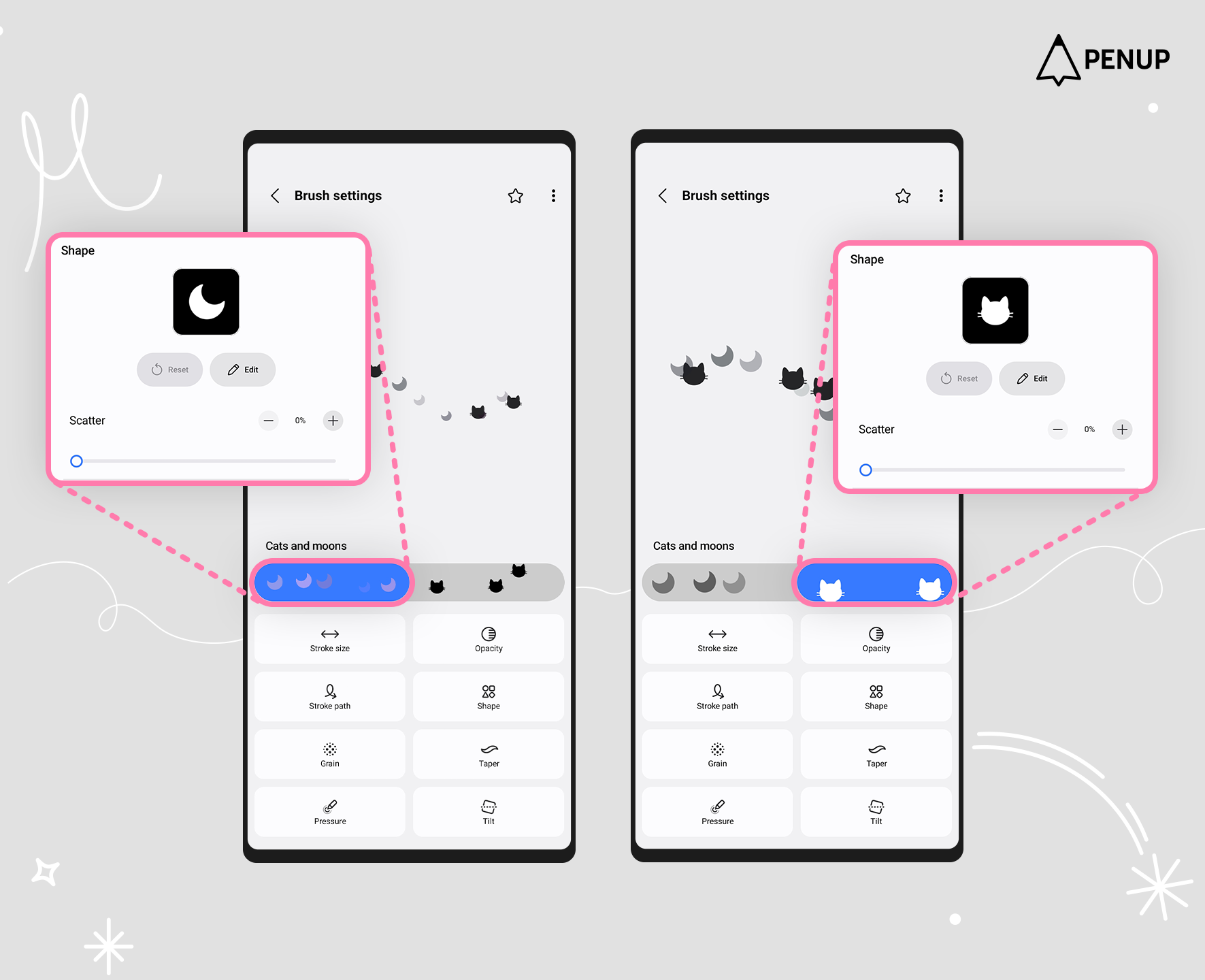
Tap each brush button in the middle of the screen to adjust the settings for each brush individually.
Use various sources to create your own unique ‘Dual brush’.
Sixth, the ‘Auto select’ feature has been added to ‘Selection mode’.
‘Auto select’ is a feature that automatically selects areas within the canvas.
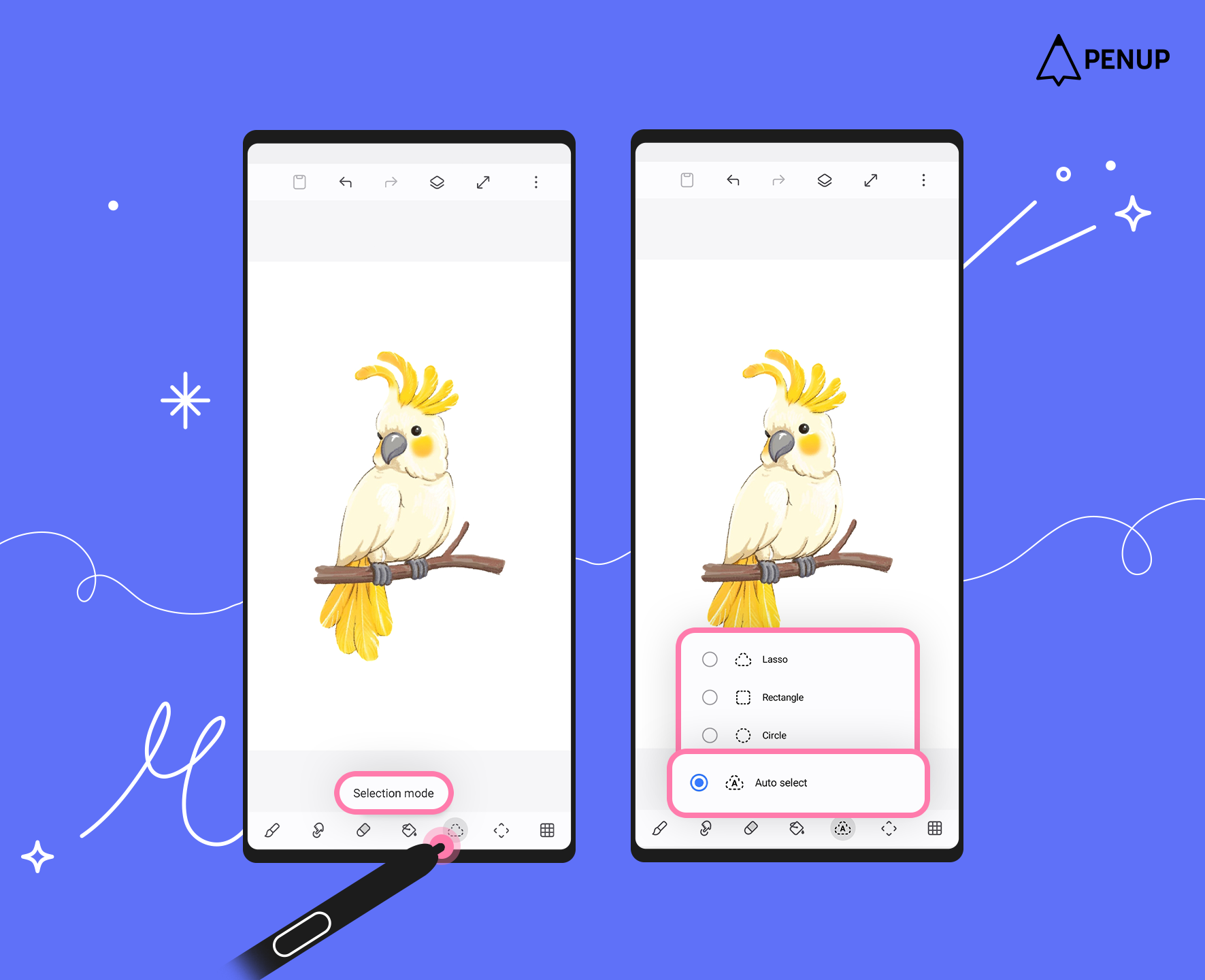
You can use this feature by tapping ‘Selection mode’ at the bottom of the drawing tools and selecting ‘Auto select’.
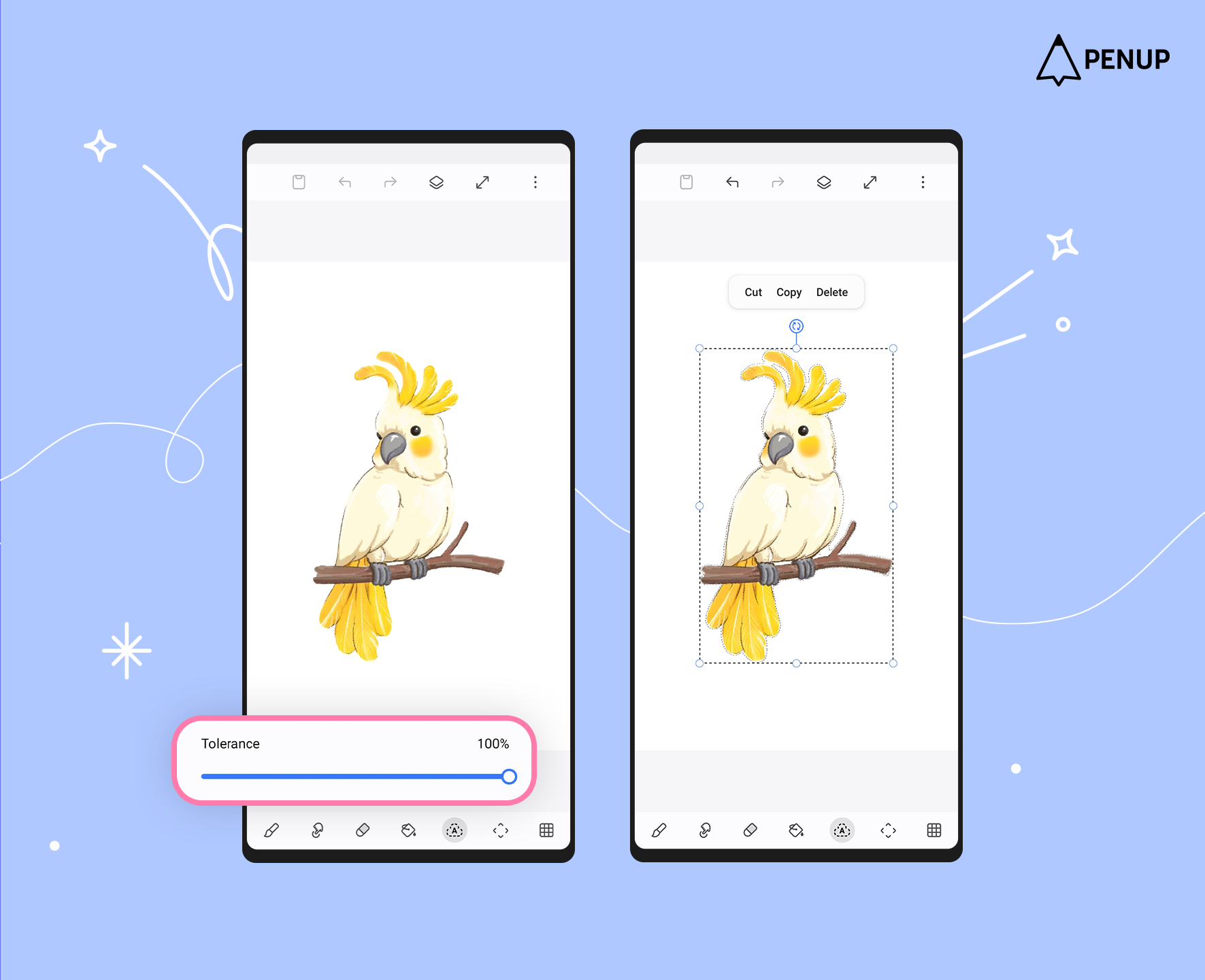
The higher the ‘Tolerance’ value, the wider the selected area becomes, allowing you to move and transform larger areas.
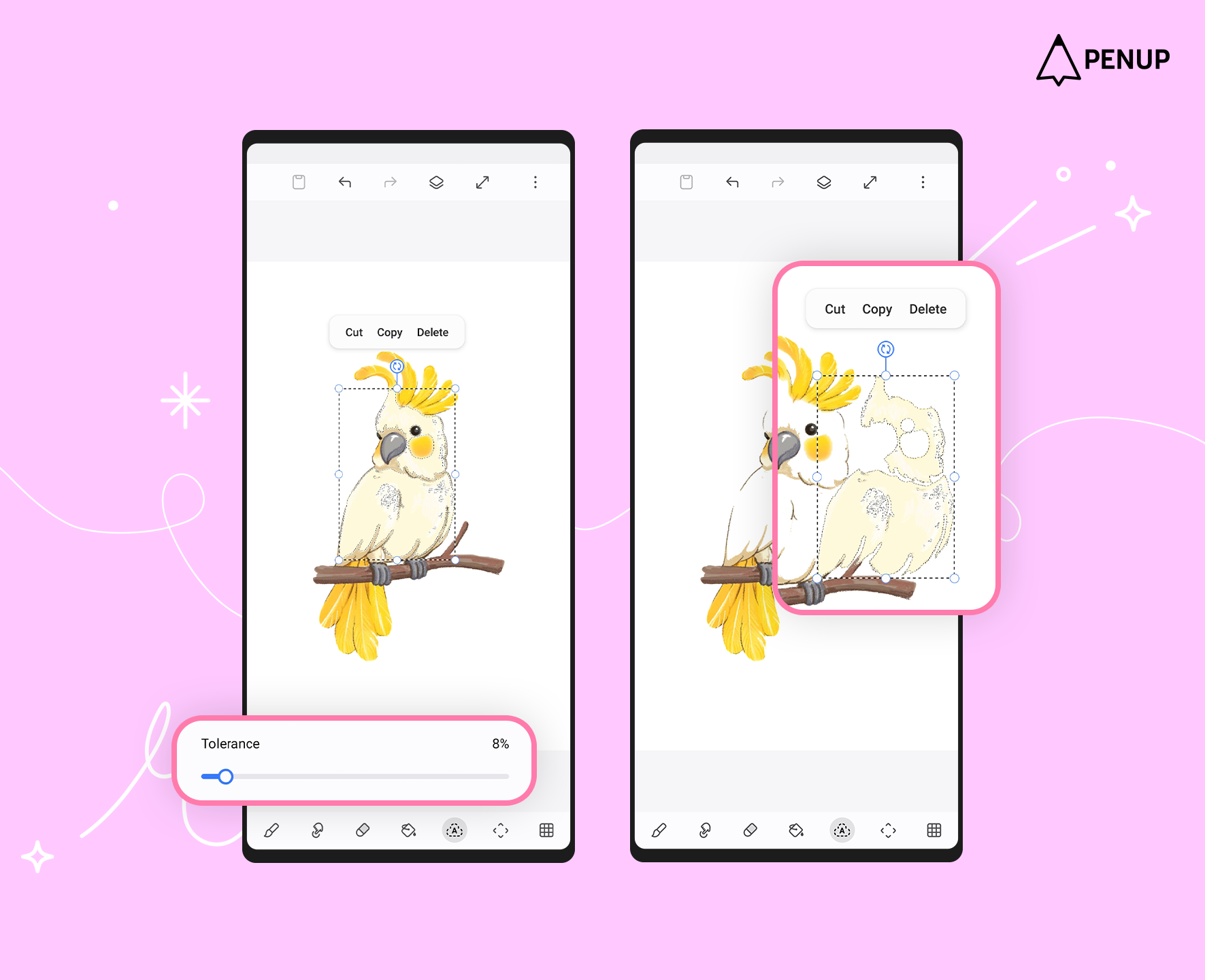
The lower the ‘Tolerance’ value, the smaller the selected area becomes, allowing more detailed movement and transformation.
Use the various selection features to move and transform your artwork freely!
Seventh, email synchronization is now supported.
With this feature, you can change the email connected to your profile.
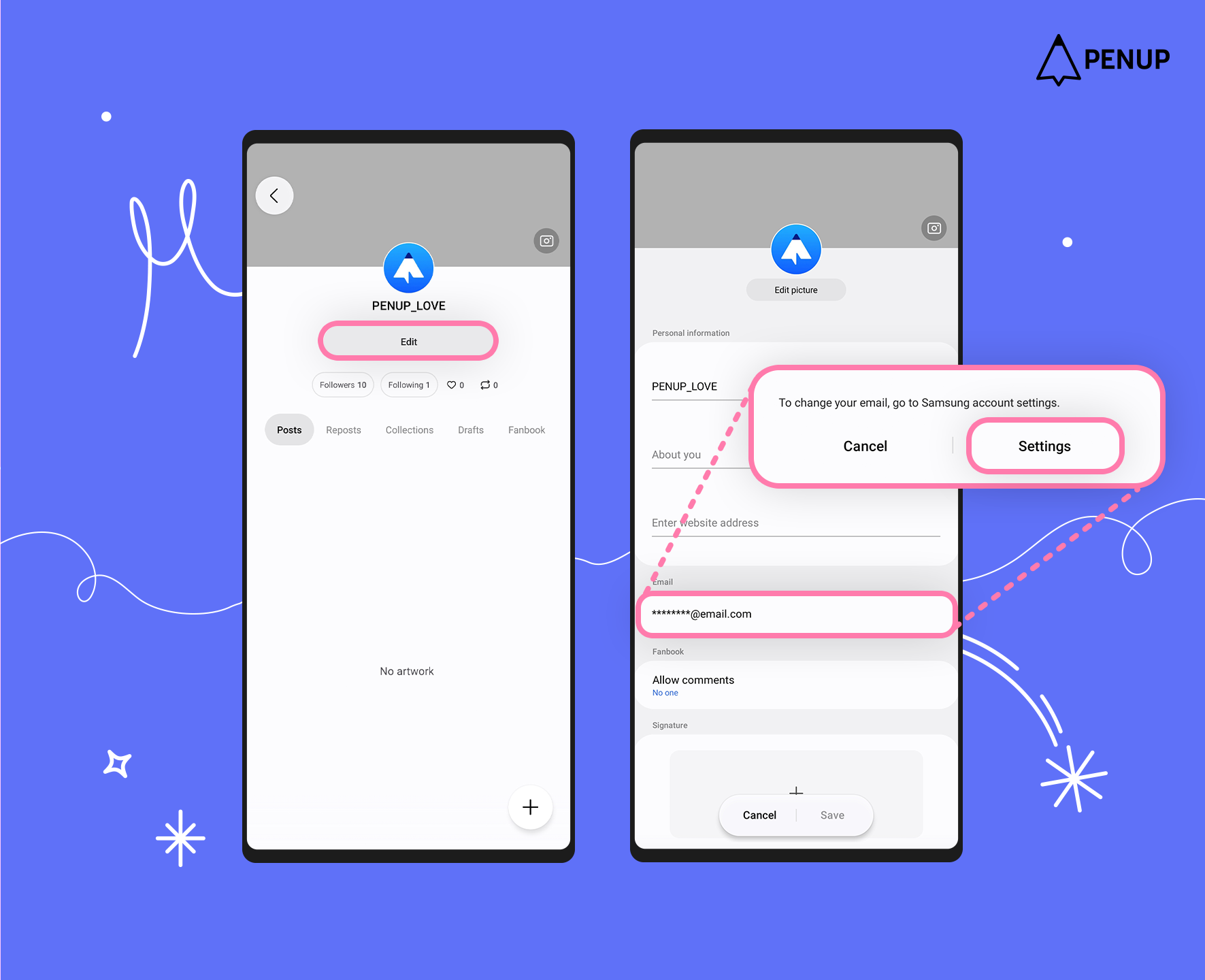
You can access this feature through My Profile - Edit - Email, and tapping the ‘Settings’ will take you to the Samsung account page.
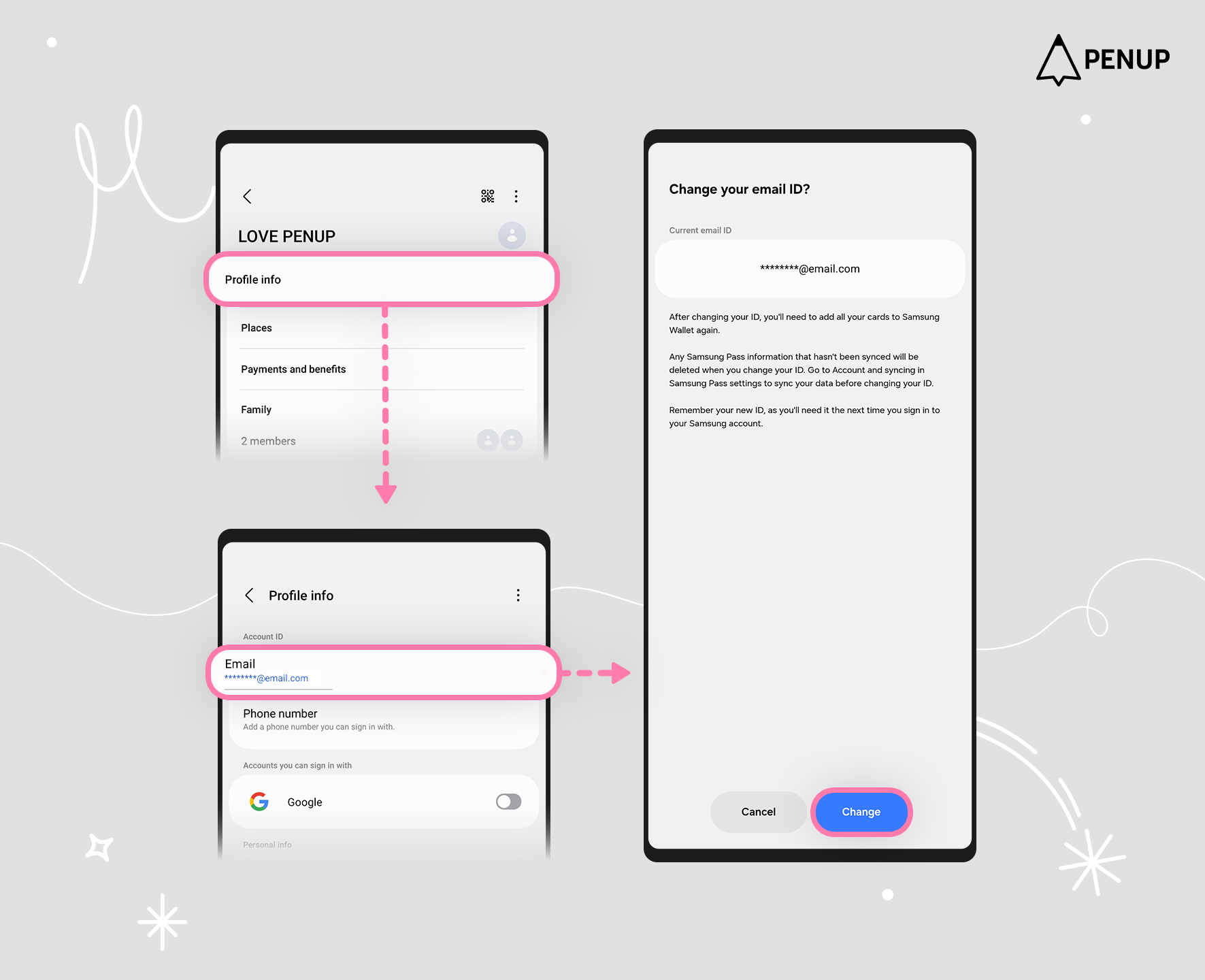
On that page, go to Profile Info - Email to modify your email ID.
Please note that this feature is only available for users who signed up for PENUP using a Samsung account, and be sure to read the precautions on the page before making any changes.
Eighth, sharing for ‘Challenge’ and ‘Hall of Fame’.
A ‘Share’ button is now available at the top right of the ‘Challenge’ and ‘Hall of Fame’ pages.
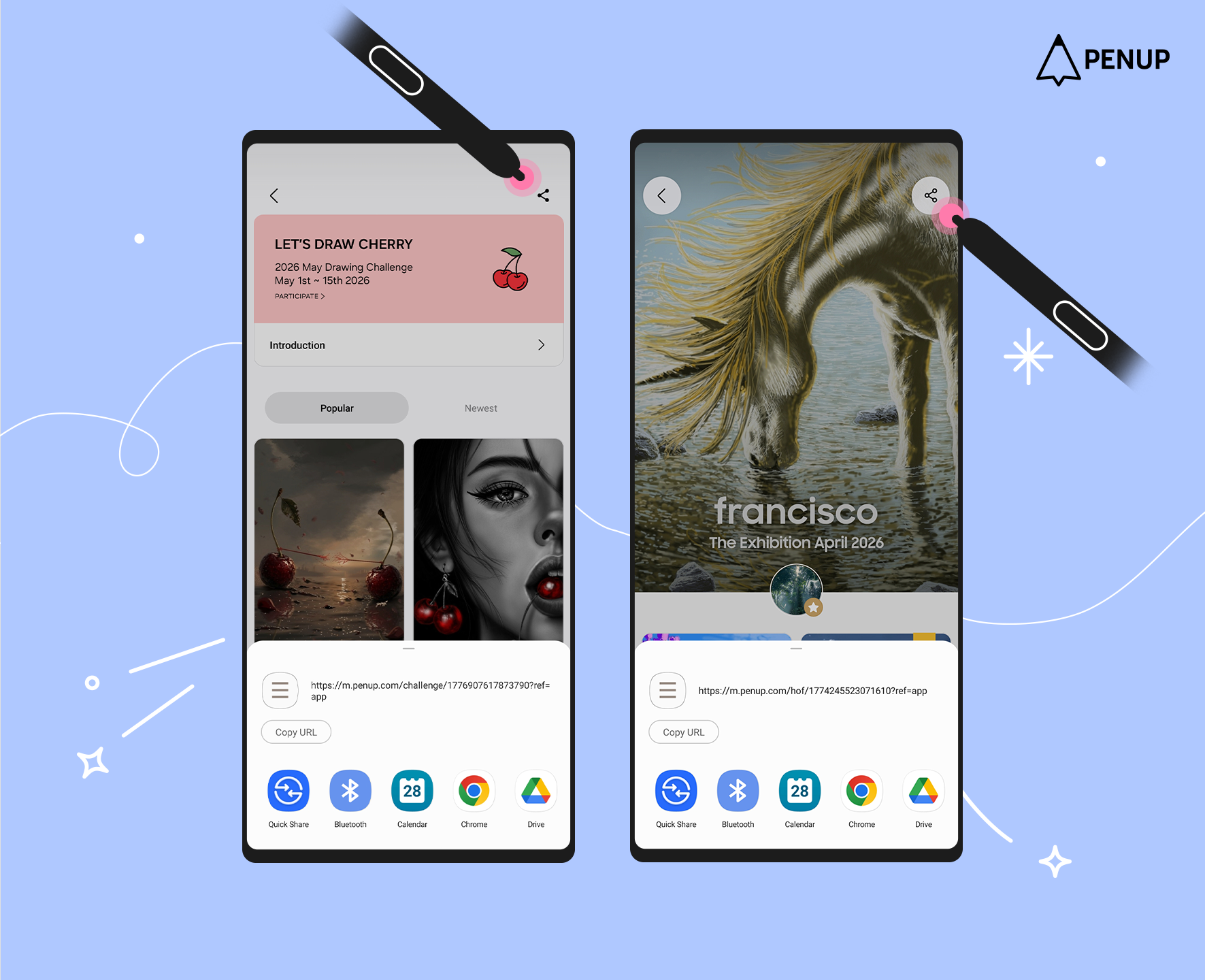
Share the Challenge page to participate in the Challenge, or share Hall of Fame news with others!
In addition, several convenience improvements and UX enhancements have been made.
We will continue to work hard to make drawing easy and fun for you through PENUP.
Thank you.
